

Create 3D Art with 123D Sculpt
Overview
123D Sculpt is a desktop application designed for 3D modeling and digital sculpting, offering users a focused environment to shape and customize virtual 3D objects. Developed by Autodesk, the software targets both hobbyists and aspiring 3D artists who want to explore digital creation without the complexity of full-scale professional tools. The app allows users to begin with preset models—ranging from anatomical forms like human heads and bodies to animals such as dinosaurs and dogs, and everyday objects like shoes and cars. These models serve as starting points for customization, enabling users to refine shapes through intuitive sculpting tools.
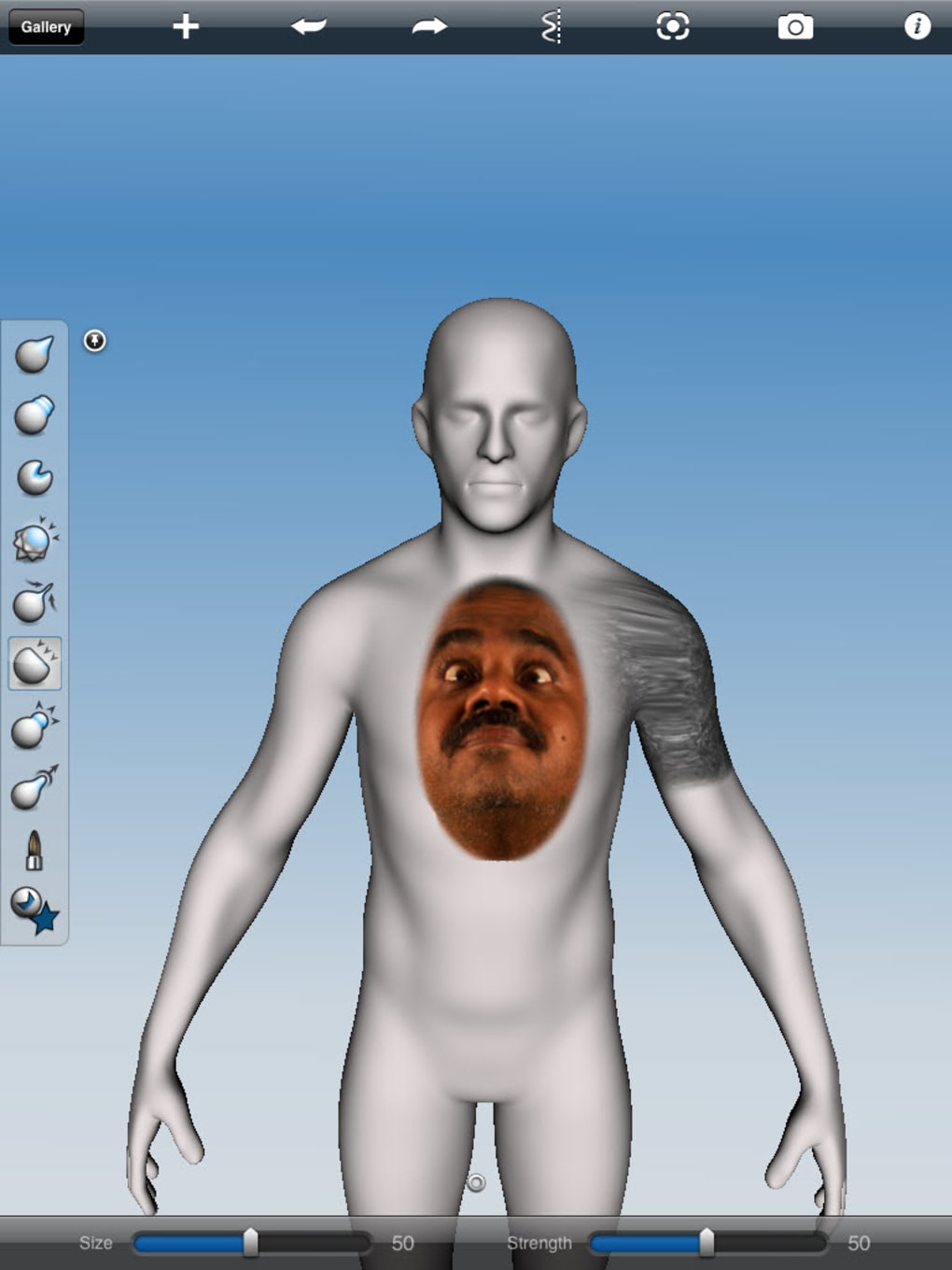
Real-world usage scenarios include concept design, artistic experimentation, and preparation for 3D printing. The software supports image import, allowing users to apply photos as textures—particularly useful for adding realistic skin details or surface patterns. With built-in texture sets for hair, faces, and tattoos, the app enhances creative expression. While the interface appears simple at first glance, the learning curve is notable due to the need to adapt to digital touch controls without physical feedback. Over time, users can unlock advanced capabilities such as flattening, distorting, and coloring models with responsive brushes that react to geometry.
Key Features & Capabilities
- Preset 3D Models: Access to a diverse library including human forms, animals, and common objects, providing immediate starting points for creative work.
- Digital Sculpting Tools: Core functions like modeling, flattening, and distorting allow precise manipulation of shapes and surfaces.
- Image Import for Texturing: Users can import images from devices like iPads to use as surface skins, enhancing realism and detail.
- Integrated Texture Sets: Preloaded textures for hair, facial features, tattoos, and more streamline the detailing process.
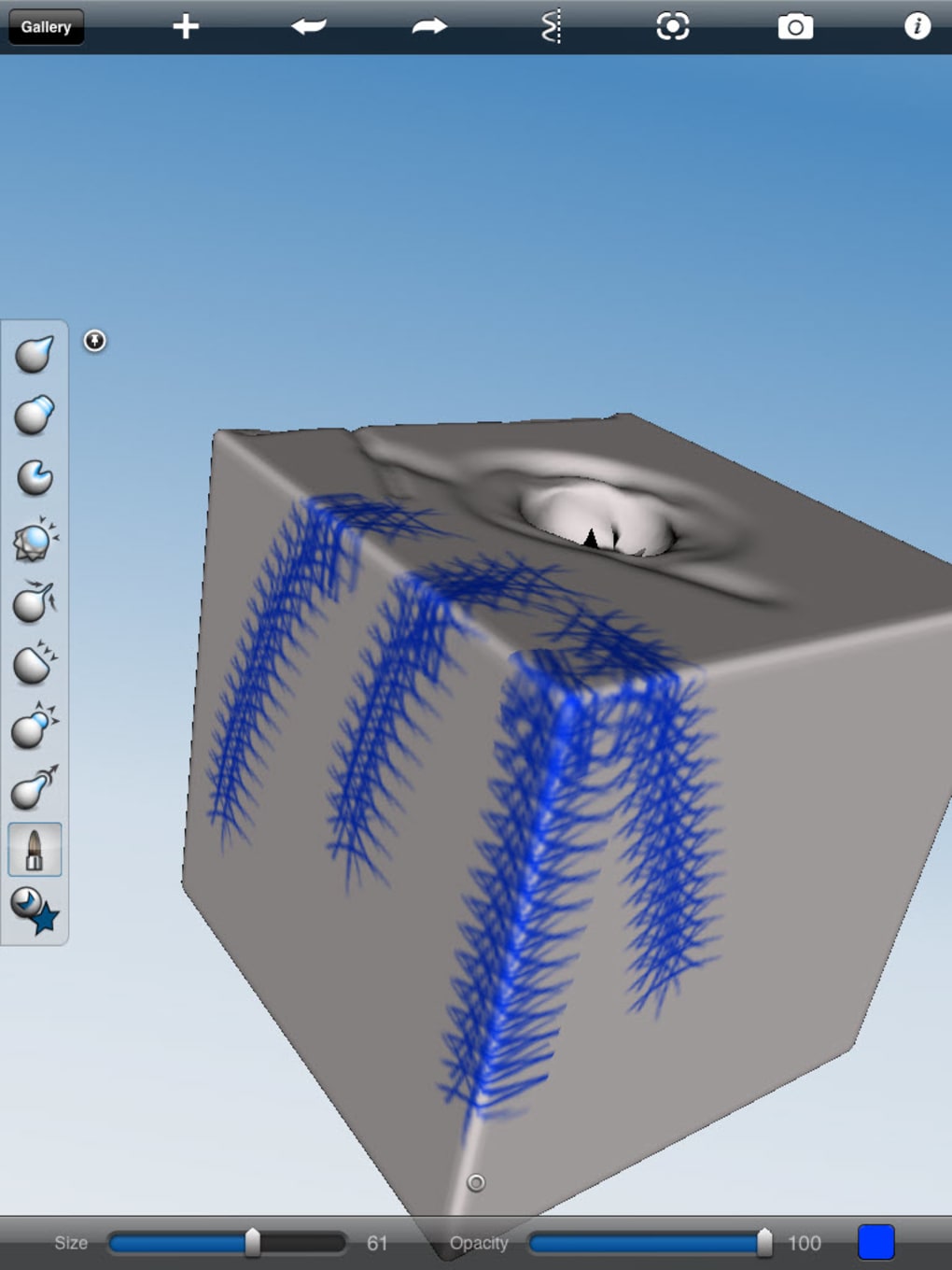
- Color Application: Easy-to-use brushes respond dynamically to model geometry, enabling natural-looking color and shading.
- In-App Purchases: Additional models are available through in-app purchases, expanding the creative possibilities beyond the default set.
These features make 123D Sculpt suitable for concept artists, educators, and hobbyists exploring 3D design. For example, a student might use the human head model to practice facial expressions, while a designer could import a photo of a landscape to texture a terrain model. The combination of preset assets and flexible tools supports both guided learning and open-ended creativity.
User Interface, Workflow & Performance
The user interface of 123D Sculpt is designed to be minimal and focused, prioritizing access to sculpting tools over complex menus. Navigation centers around the main canvas, where users interact directly with 3D models using touch-based controls. While the layout is clean, the absence of physical haptic feedback may require users to adjust their workflow, especially when working on fine details.
Workflow efficiency depends on familiarity with digital sculpting techniques. Basic actions such as reshaping, smoothing, and applying textures are accessible through intuitive gestures. However, mastering the control system takes time, particularly for users new to 3D modeling. The software does not specify resource usage details, so performance may vary based on hardware configuration. General behavior suggests stable operation during typical sculpting sessions, though prolonged use may impact system responsiveness depending on device capabilities.
Compatibility & System Requirements
123D Sculpt is compatible with both Windows and Mac operating systems, making it accessible to a broad range of users. The application has a file size of 256 MB, indicating a lightweight installation. The software version is 1.0.0, released on July 15, 2023.
Exact system requirements were not listed by the developer. Platform compatibility information is limited to the supported operating systems. The developer did not provide additional system requirements. Users should ensure their devices meet general standards for running 3D applications, such as sufficient RAM and a capable graphics processor.
Pros and Cons
Pros
- Free to download and use, lowering the barrier to entry for beginners.
- Intuitive interface with a focus on creative expression.
- Wide variety of preset models for immediate experimentation.
- Supports image import for realistic texturing and customization.
- Offers in-app purchases to expand the model library.
Cons
- High learning curve due to reliance on digital touch controls.
- Limited documentation or tutorials provided in the app.
- Resource usage details were not specified.
- Dependence on in-app purchases for extended functionality.
- Compatibility with older systems may be uncertain.
FAQ Section
Is 123D Sculpt free to use?
Yes, 123D Sculpt is available at no cost. Users can download and use the core features without payment.
What operating systems does 123D Sculpt support?
123D Sculpt is compatible with both Windows and Mac operating systems.
Can I use my own images as textures in 123D Sculpt?
Yes, the software supports importing images, including those from iPads, to use as surface textures on 3D models.
Are there any in-app purchases in 123D Sculpt?
Yes, additional models can be purchased through in-app purchases to expand the creative toolkit.
Does 123D Sculpt require an internet connection?
The software can be used offline after installation. However, in-app purchases and potential updates may require an internet connection.
Final Thoughts + CTA
123D Sculpt delivers a compelling balance between simplicity and creative potential, making it a valuable tool for those exploring 3D modeling and digital art. While the learning curve is steeper than average due to the nature of touch-based controls, the payoff in creative output is significant. The inclusion of preset models, texture sets, and image import capabilities empowers users to produce detailed, visually striking 3D designs with minimal setup.
Although the software lacks detailed system requirements and comprehensive tutorials, its free availability and cross-platform support make it accessible to a wide audience. Artists, students, and hobbyists seeking a lightweight yet capable 3D sculpting solution will find 123D Sculpt to be a strong choice.
Download 123D Sculpt now and begin shaping your next 3D masterpiece.







